For recruiters
Meet candidates who chose to be found.
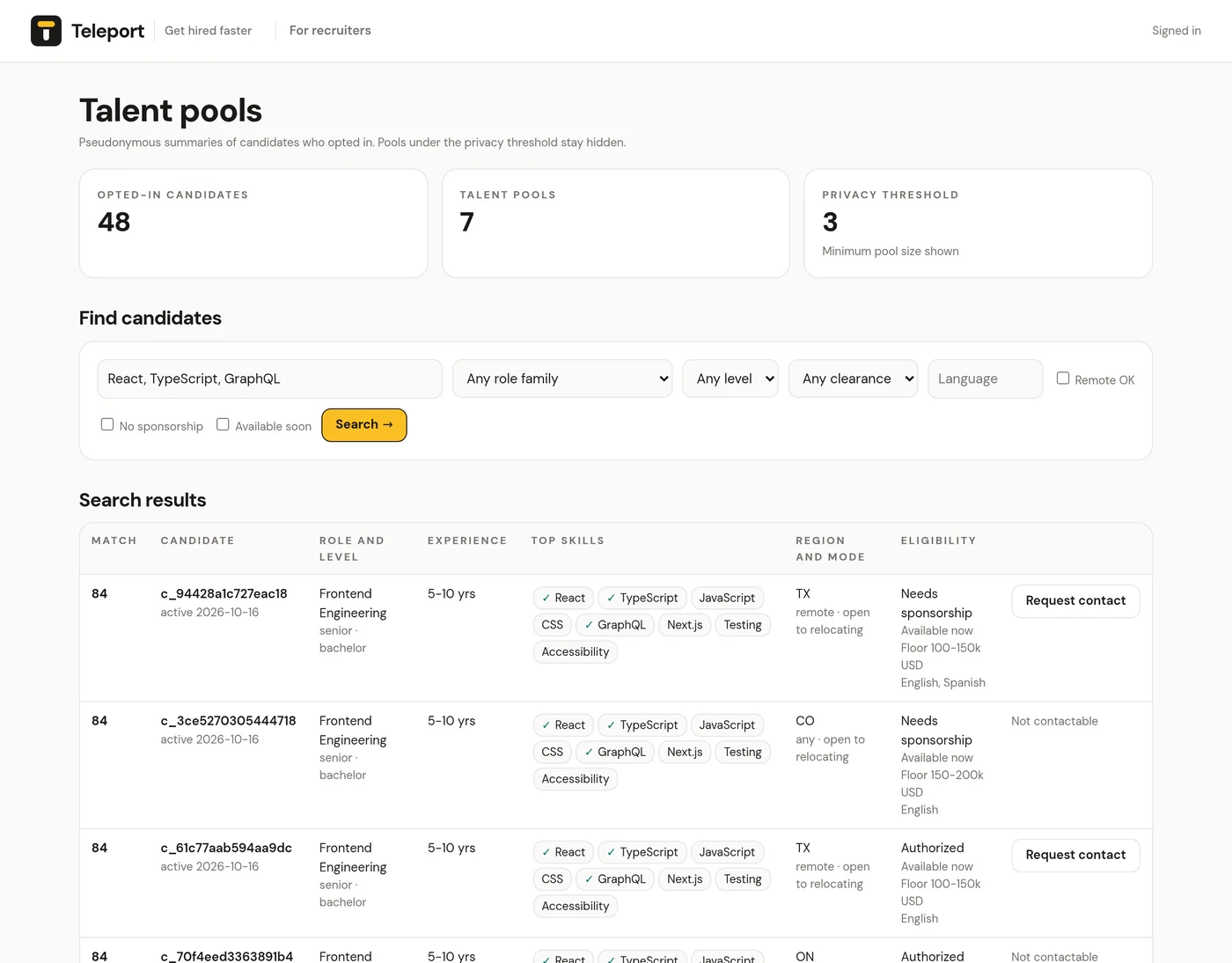
Teleport talent pools are built from job seekers who explicitly opted in. You see pseudonymous summaries grouped by role, level and work mode, and contact details only when a candidate allows it.
Placeholder contact: recruiters@teleport.example is not a live address yet. Recruiter access is set up by the Teleport team.
How talent pools work.
Consent first
Candidates join pools only after turning on sync and then talent pools, two separate opt-ins. They can leave at any time.
Grouped by intent
Pools combine role family, seniority band and work mode, using the roles candidates actually save.
Privacy threshold
Pools under the minimum size stay hidden, and searches that match too few people return no rows.
What you can see.
- Pool size, average years, top skills, regions and readiness counts
- Pseudonymous candidates: role family, level, degree, years band, top skills, region and work mode
- Coarse eligibility when shared: work authorization, availability, clearance, salary band and languages
- Search by skills, role family, minimum level, remote, no sponsorship, clearance, language and availability
What you won't see.
Names, emails, phone numbers, resume text, employers, exact salaries, free-text answers or individual saved jobs. Candidate IDs are different for every recruiter organization.
When a candidate has turned on recruiter contact, Request contact shares their name and email with you. Otherwise the request is logged and the candidate stays private.
Accountable by design
Every recruiter read, from listing pools to viewing candidates, searching and requesting contact, is written to an audit log. Candidates receive that log in their data export. Recruiter terms require using candidate data only for recruiting, honoring opt-outs, following anti-discrimination and privacy laws, and never re-identifying pseudonymous candidates.
Getting access
There is no self-serve sign-up yet. The Teleport team issues an API key for your organization, and you sign in to the dashboard with it. See getting a recruiter key and using the dashboard.