Job search extension for Chrome

Know your fit before you apply.

Teleport spots job postings on any site, scores how well you match, and tells you what to do about the gaps. Your resume and saved jobs stay on your device unless you choose otherwise.

Coming soon to the Chrome Web Store. Free to download for Chrome today, with a free account.

Teleport on a job posting: the Add to Teleport button, an 85 fit badge and the fit panel with a six-part breakdown

Runs on your device

Detection and fit scoring happen locally. Nothing is sent anywhere by default.

Every sharing option is off

Sync, talent pools and recruiter contact are separate opt-ins you can turn off any time.

One permission at install

Teleport asks for storage only. Network access is requested later, one site at a time, when a feature needs it.

How it works

From posting to plan in four steps.

  1. 1

    Install

    Add Teleport to Chrome. It takes about 2 minutes.

  2. 2

    Build your profile

    Upload your resume or take the short assessment. Both stay on your device.

  3. 3

    Browse jobs anywhere

    Open a posting on any site and your fit score appears under the title.

  4. 4

    Save and act

    Save the job, revise your resume for it, check the company and ask questions.

Features

Everything you need, on every posting.

The tools open right on the job page, next to your fit score, and from any saved job in your dashboard.

Spots job postings on any site

Smart analysis reads the page you are on and decides from its content, not its address, whether it is a single job description. It works on LinkedIn, Greenhouse, Lever, Indeed, Workday and Ashby, on company career pages, and even on a job description pasted into a doc.

  • Runs on your device, in the background, in a few milliseconds
  • Ignores search results, articles and product pages
  • Select any job description text to analyze it by hand
Learn more

The Add to Teleport button and fit badge under a job title, with the fit panel open

A fit score you can act on

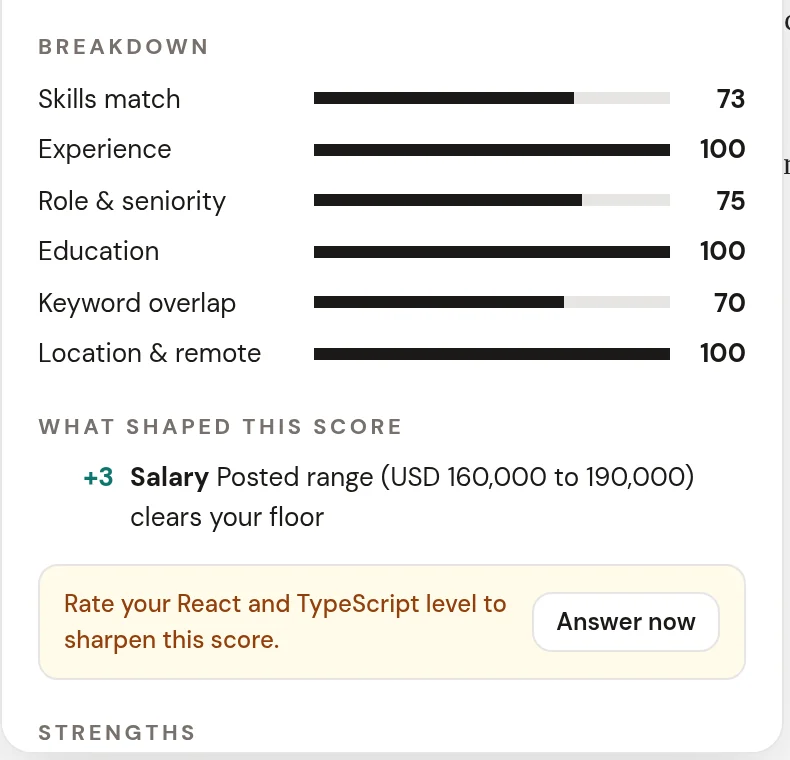
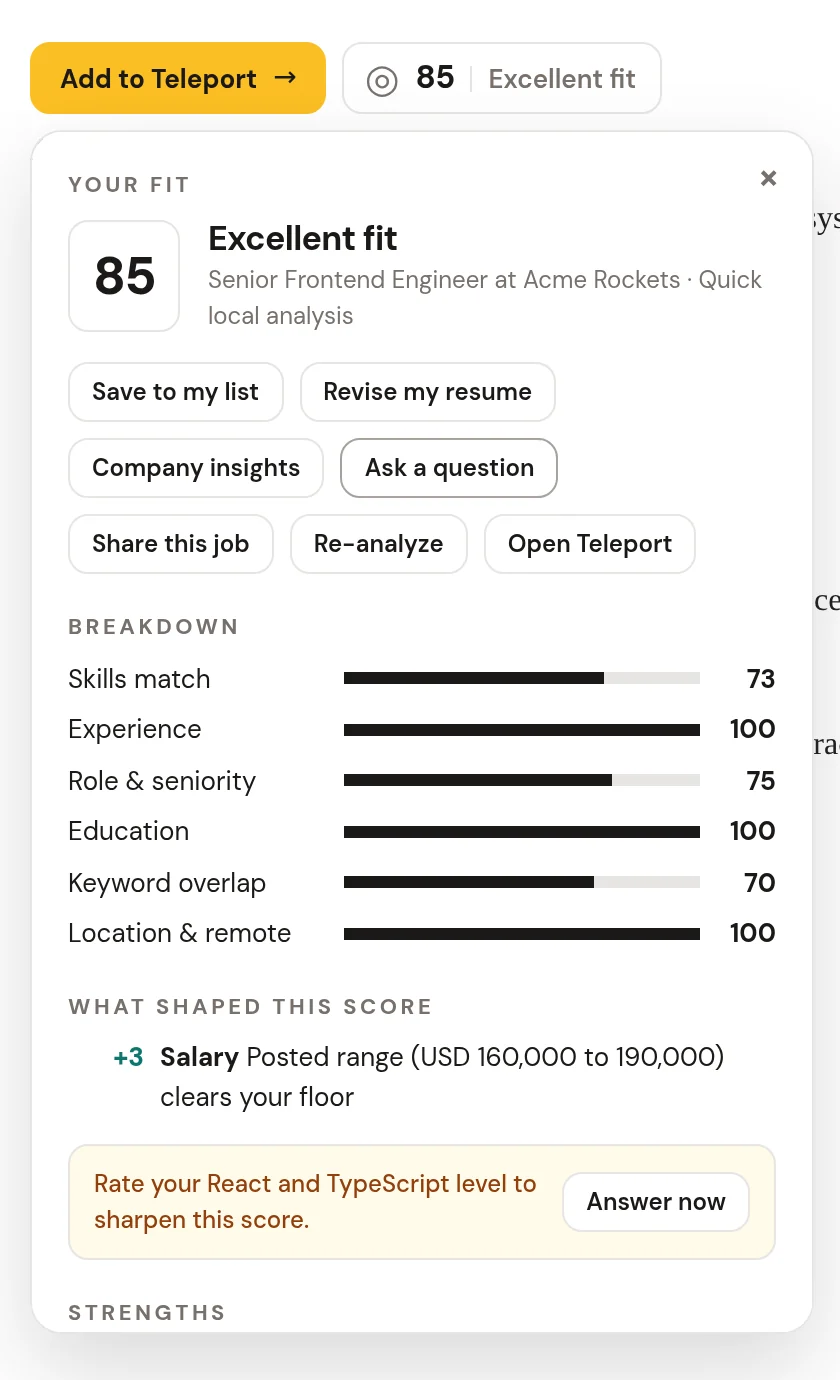
Every posting gets a score from 0 to 100 across six weighted parts: skills, experience, role and seniority, education, keywords, and location. You see what is strong, what is missing, and what to do about it.

  • Strengths, gaps and concrete recommendations
  • Eligibility checks such as sponsorship, clearance and salary floor
  • "What shaped this score" explains every adjustment

Learn more

The fit breakdown across six parts, a salary adjustment under what shaped this score, and a nudge to rate two skills

Save jobs from anywhere

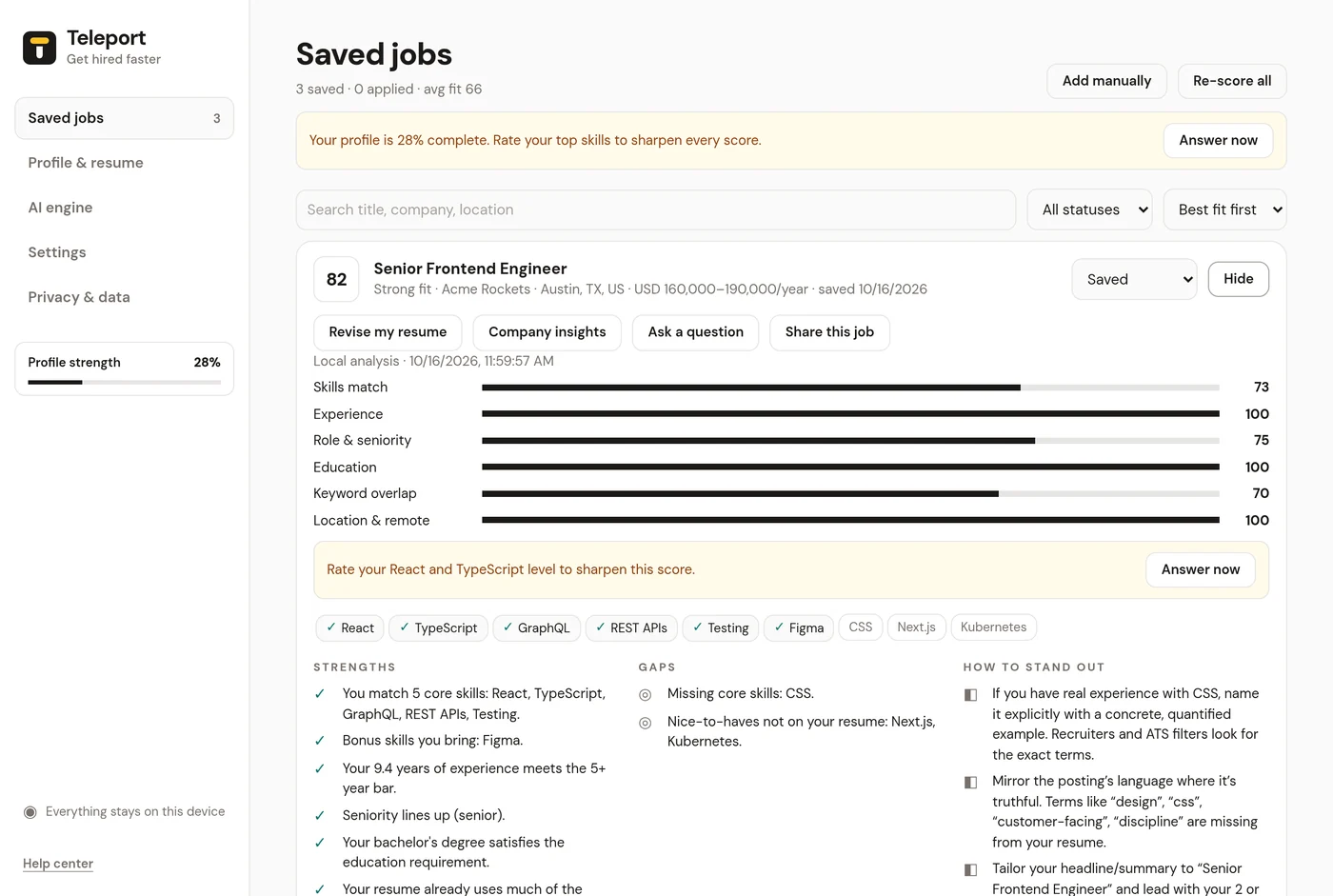
One click adds a posting to your list with its fit score. Track each job from saved to applied, interviewing and offer, keep notes, and search or sort your list by best fit or newest.

  • Add jobs manually when a page has no posting
  • Re-score everything after you update your profile
  • Your list lives on your device unless you turn on sync

Learn more

The saved jobs dashboard with fit scores, statuses and job tools

Revise my resume, honestly

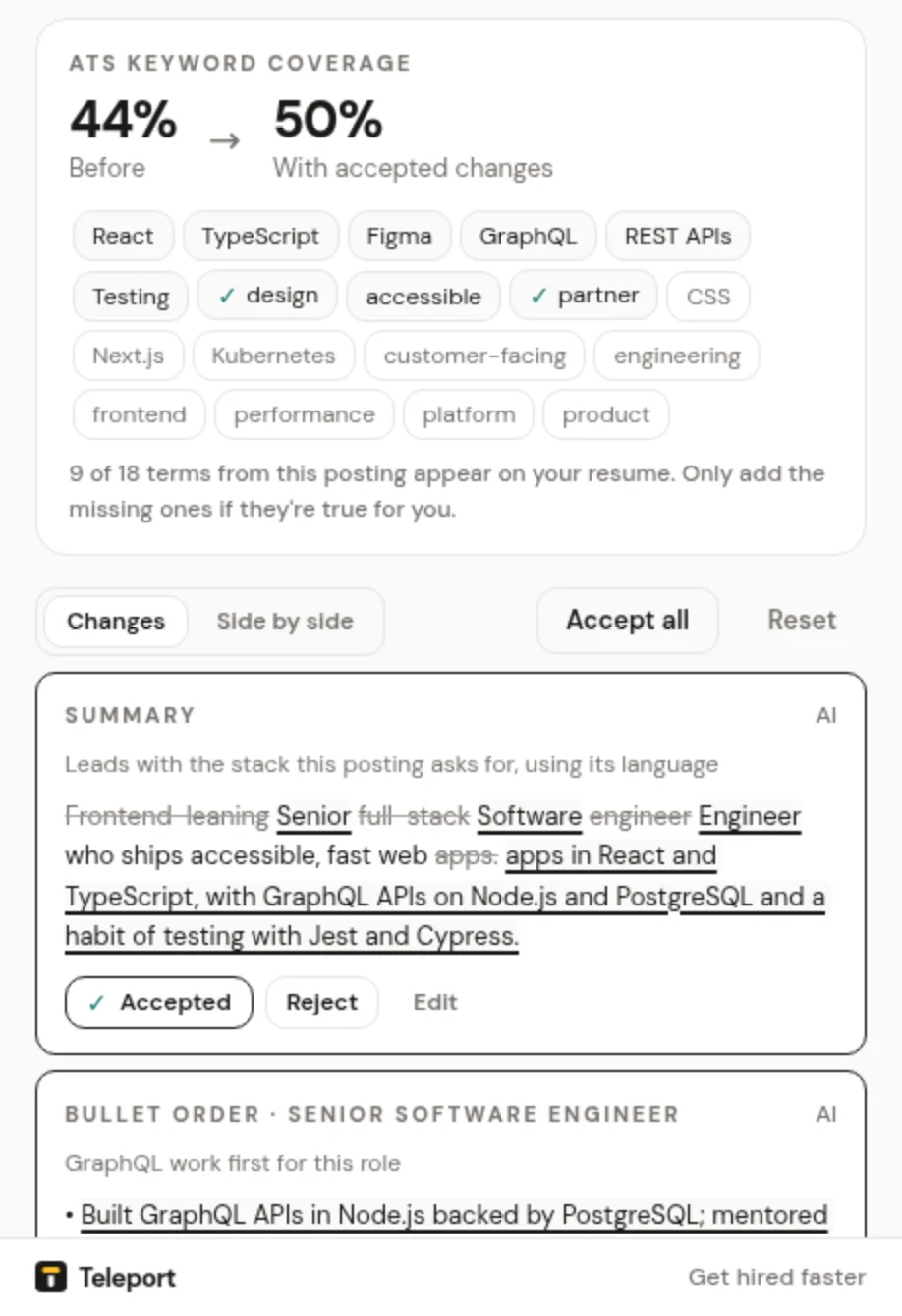
Get a tailored version of your resume for one posting: a sharper summary, reworded and reordered bullets, and the skills this role asks for first. Accept, reject or edit each change, then download a DOCX or PDF.

  • Never adds an employer, title, date, degree, number or skill you did not state
  • Asks you for a real number instead of inventing one
  • Shows keyword coverage before and after

Learn more

Revise my resume showing keyword coverage and accepted changes

Company insights with sources

See what the company does, its size and headquarters, recent news and open roles, all from public sources with a link and a date on every fact. Ratings and reviews come only from review pages you open yourself.

  • Wikidata, Wikipedia, Google News and public job board APIs
  • Glassdoor, Indeed and Comparably are never fetched in the background
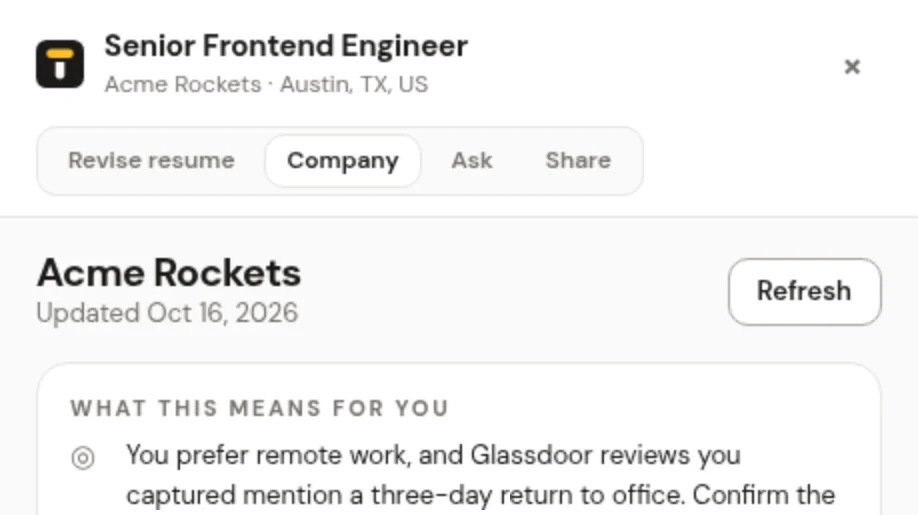
  • "What this means for you" compares the facts with your profile

Learn more

Company insights with a summary of what the facts mean for you

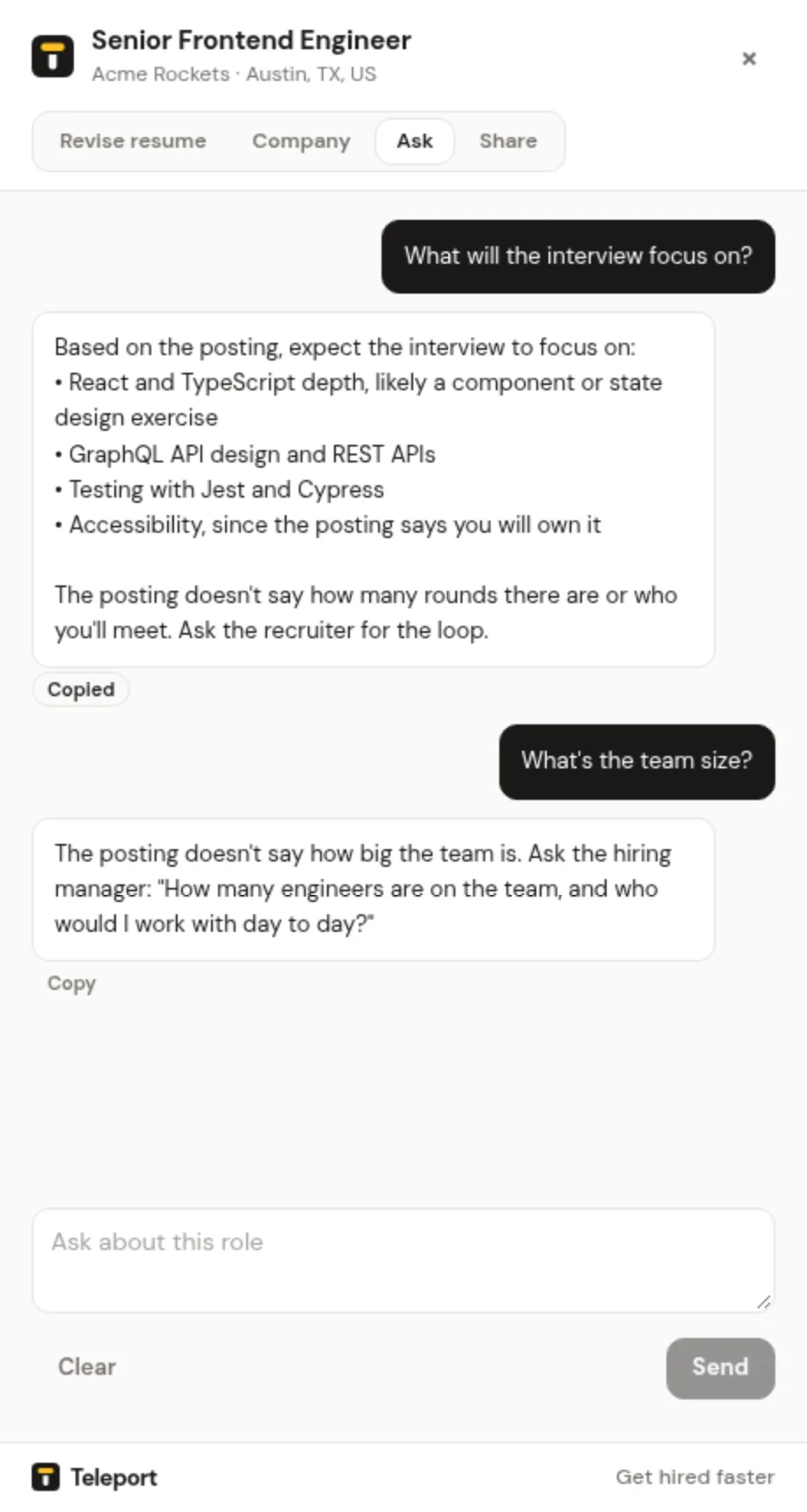
Ask a question about the role

Chat about a posting with the job, your profile, your fit and any company insights as context. Start from questions like "Am I a good fit?" or "What will the interview focus on?", or ask your own.

  • Answers stick to the posting and say so when it does not cover something
  • Never invents salary figures or company facts
  • Uses your own AI key, with local answers for the basics without one

Learn more

The Ask a question chat with answers grounded in the posting

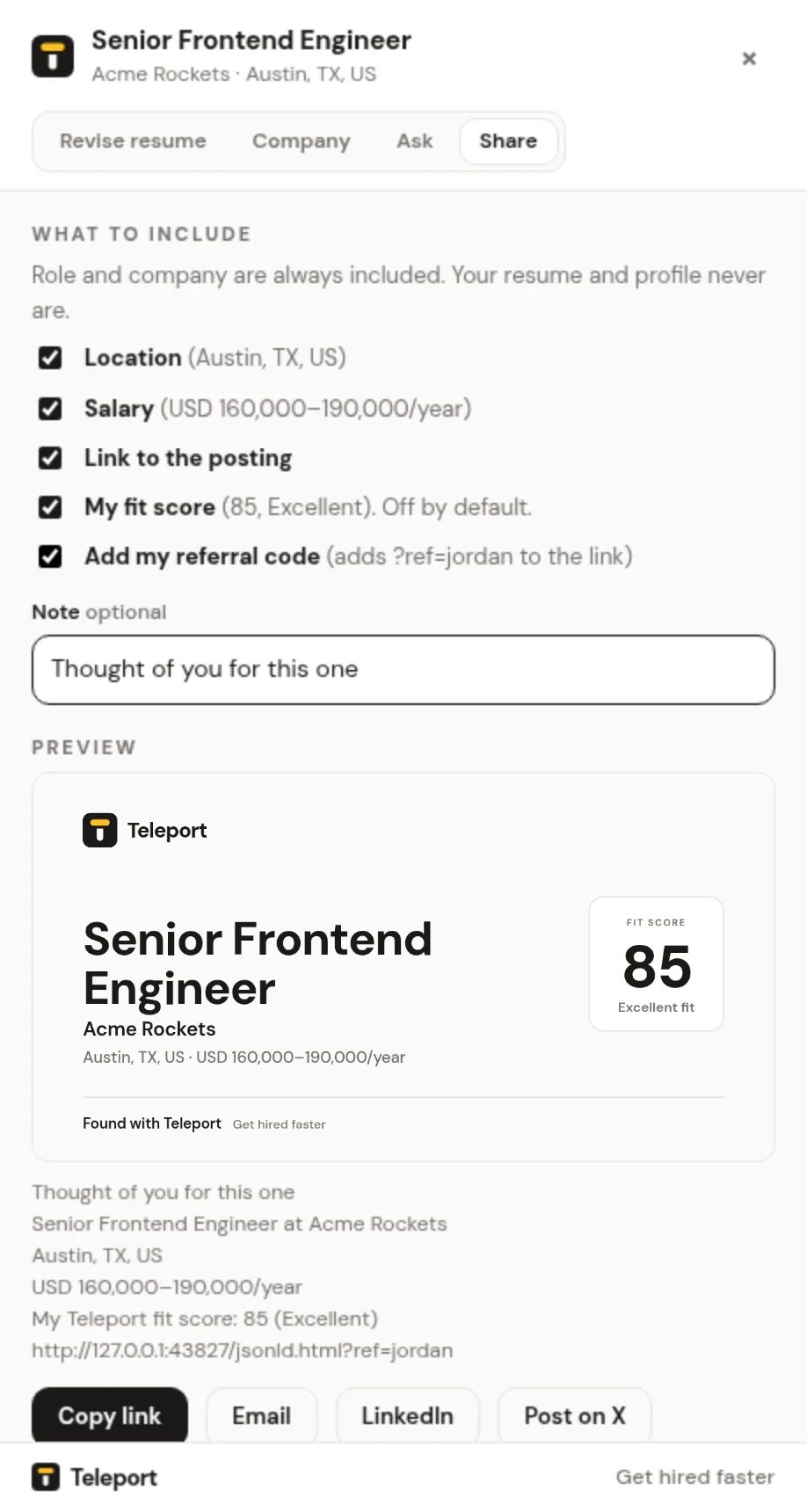
Share a job in two clicks

Send a posting to a friend by link, email, LinkedIn or X, or download a clean image card. You choose what is included. Your resume and profile never are, and your fit score is off unless you tick it.

  • Optional referral code added as ?ref= to the link
  • No tracking parameters, pixels or redirects
  • Built on your device, sent only when you pick a channel

Learn more

The Share this job drawer with options and a card preview

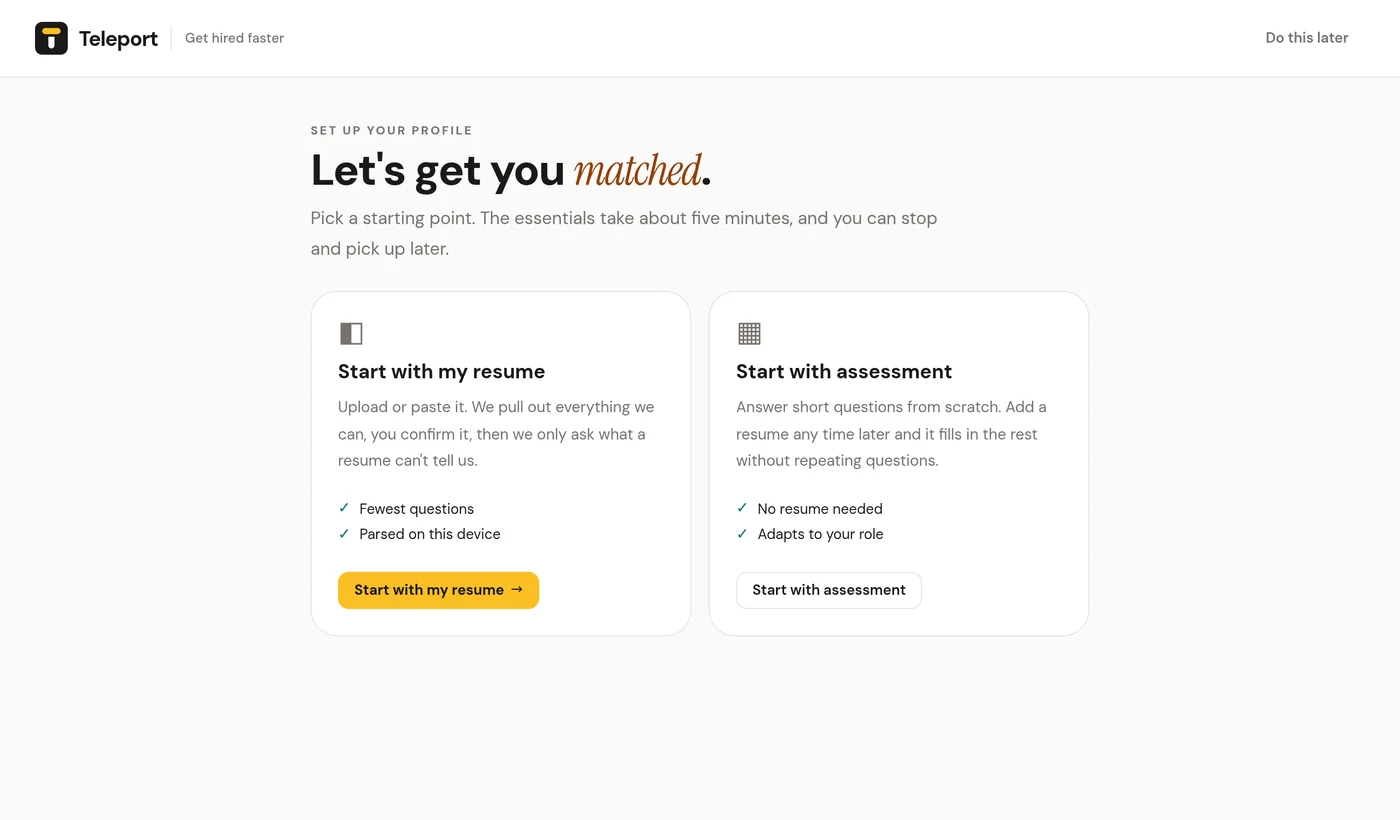
Guided onboarding to a complete profile

Start with your resume and Teleport parses what it can, then asks only about what is missing or uncertain. Or start with a short assessment and add a resume any time. A completeness meter shows the next best question.

  • PDF, DOCX or plain text resumes, parsed on your device
  • Questions adapt to your role, level and location
  • Stop any time and pick up where you left off

Learn more

Onboarding: start with my resume or start with assessment

Privacy and trust

Your data, your call.

Teleport is built local-first. Sharing is opt-in, granular and revocable, and you can export or delete your data at any time.

Local by default

Your profile, resume, saved jobs and fit scores live in your browser's extension storage.

Opt-in sync

Back up and sync only if you switch it on. Turn it off and nothing more is uploaded.

Pseudonymous pools

If you also opt in to talent pools, recruiters see a coarse summary, never your name or resume.

How Teleport handles your data

For recruiters

Meet candidates who chose to be found.

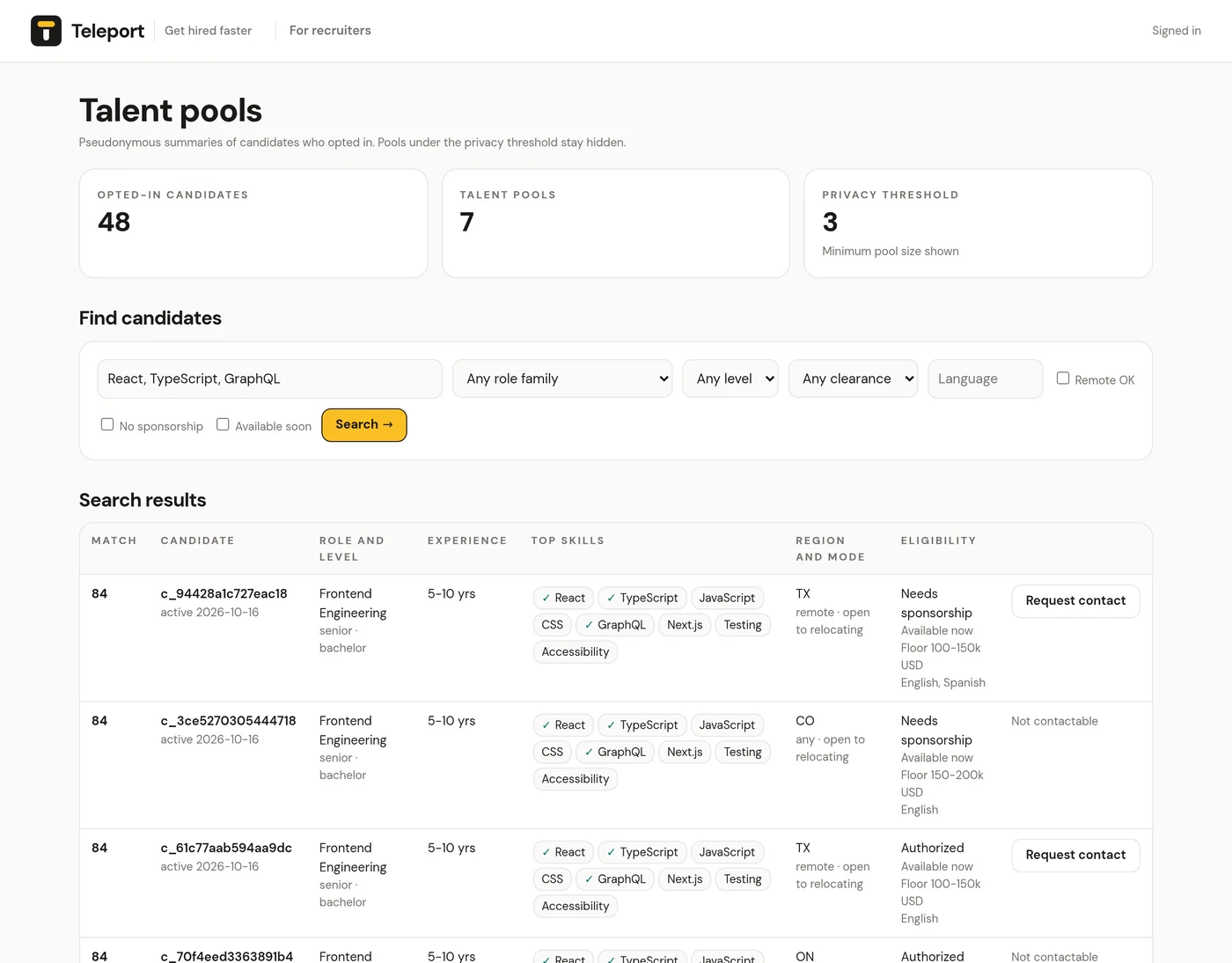
Teleport talent pools contain only job seekers who opted in. Profiles are pseudonymous, contact needs the candidate's permission, and every access is logged.

Teleport for recruiters

The Teleport recruiter dashboard with talent pool stats and candidate search
Shown with sample data from a test environment.

Ready for your next role?

Install Teleport, add your resume, and open any job posting. Your first fit score is a minute away.