Profile completeness
How the profile strength meter is calculated and how to raise it.
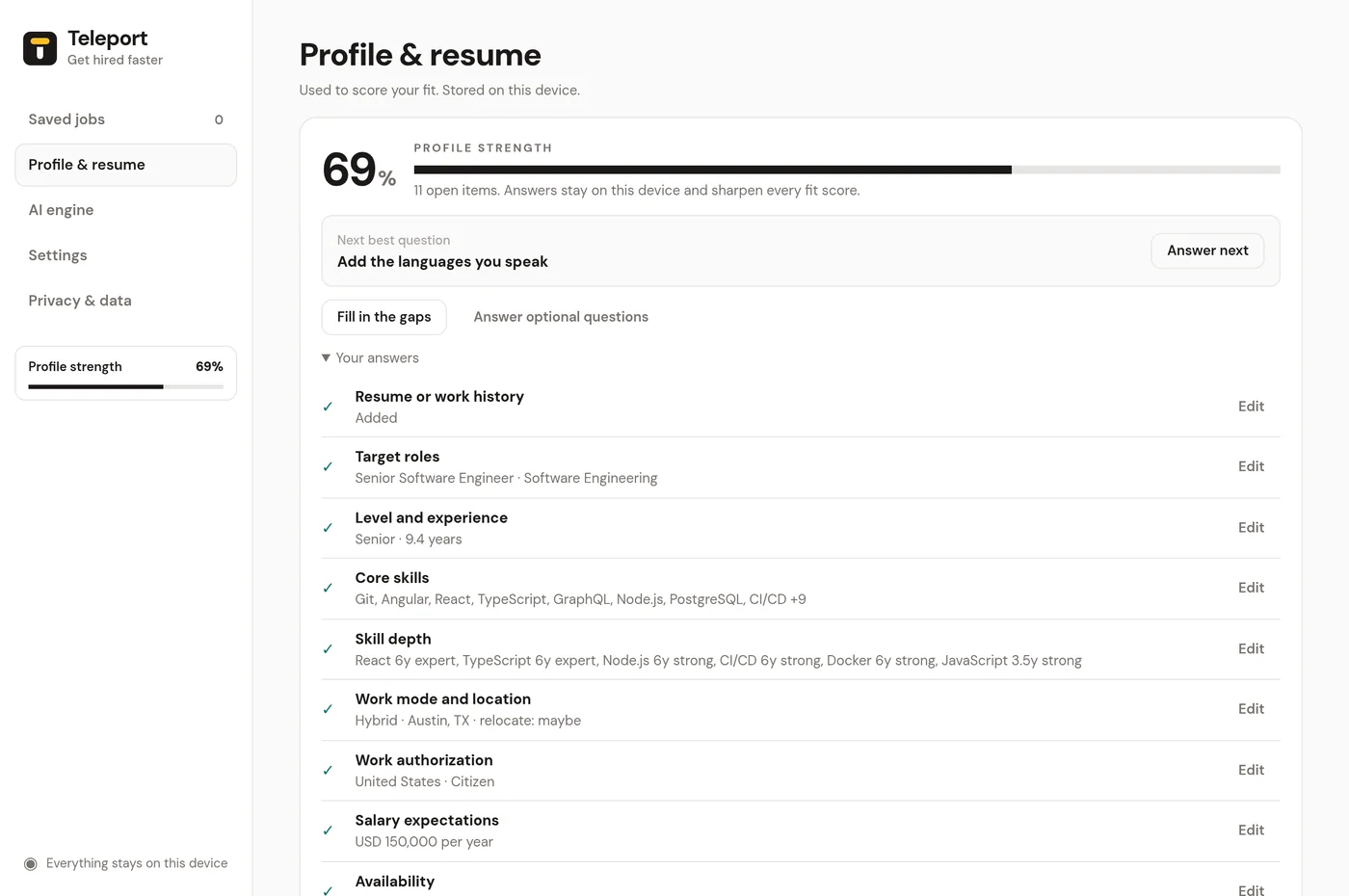
The profile strength meter shows how much Teleport knows about you, from 0 to 100%. A more complete profile makes every fit score more accurate.
Where you see it#
- The Profile & resume page, with a list of every item and an Edit link for each.
- The dashboard sidebar.
- A nudge on Saved jobs while your profile is under 85% complete.
- The toolbar popup, as Profile strength.
How it's calculated#
Each item has a weight, and only items that apply to you count. An answered item earns its full weight. An item Teleport guessed from your resume with low confidence earns 60% until you confirm it.
| Item | Weight |
|---|---|
| Target roles, core skills, skill depth | 10 each |
| Level and experience, work authorization | 8 each |
| Work mode and location, salary expectations | 7 each |
| Resume or work history | 6 |
| Education | 5 |
| Availability, tools, industries, languages | 4 each |
| Company stage, deal-breakers, career goals, what makes you stand out, management, clearance | 3 each |
| Certifications, must-haves | 2 each |
The next best question#
Teleport suggests the missing item worth the most, with essentials first. Click the nudge, or Answer now on a fit panel, to jump straight to that question.
Fit panels also nudge you when a posting asks for something your profile doesn't cover yet, for example "This role asks for TS/SCI. Add your clearance level to check eligibility." Answering updates the score.